AI Beach Girl
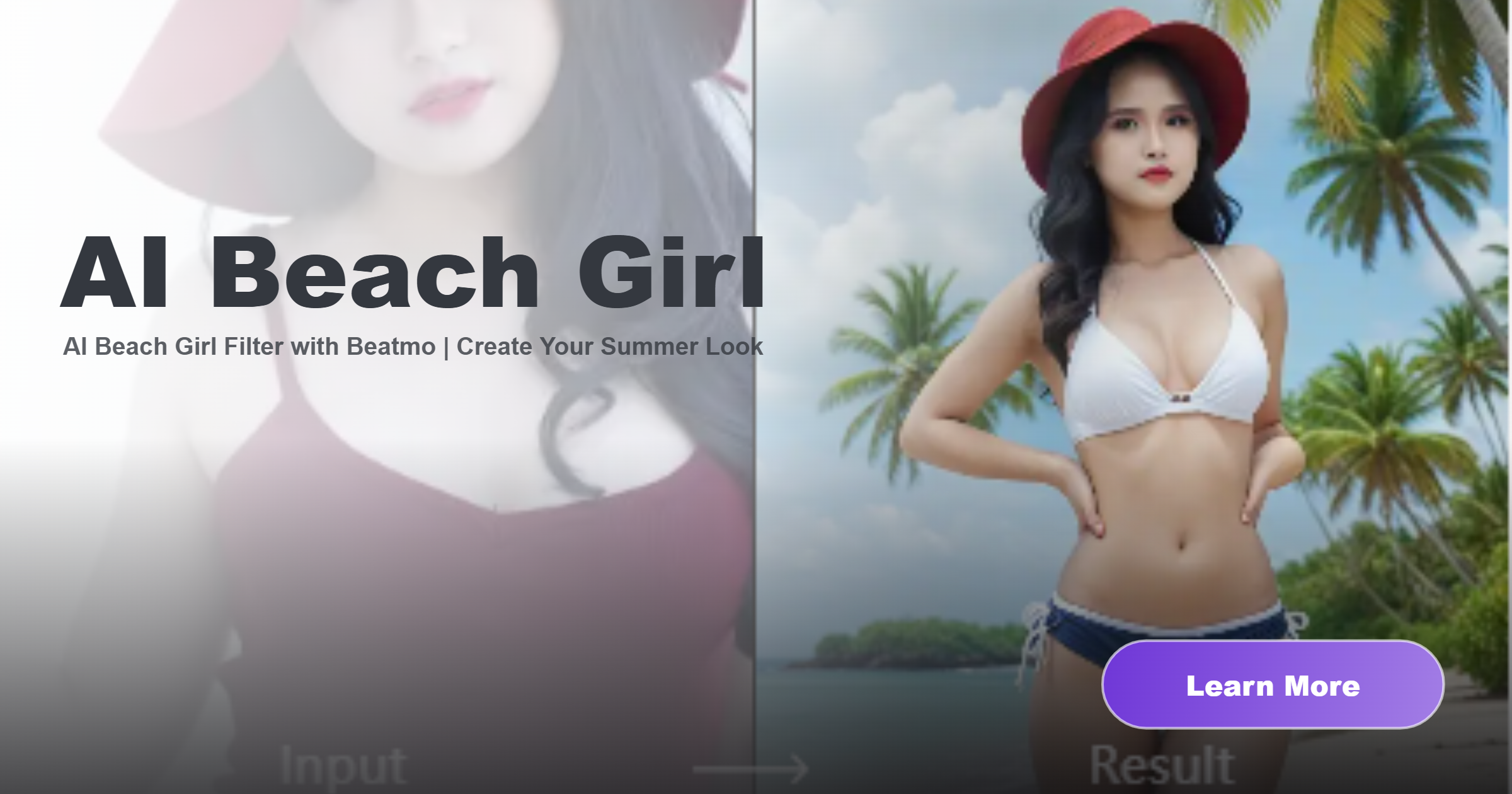
Recommended AI Beach Girl Filters for You
Find your ideal AI beach girl filter in Beatmo and give your photos a coastal setting with sunlit details and relaxed summer energy.
Advantages of Creating AI Beach Girl Looks with Beatmo
Beatmo makes AI beach girl edits simple, helping you add seaside scenery and summer styling to your photos in just a few taps.
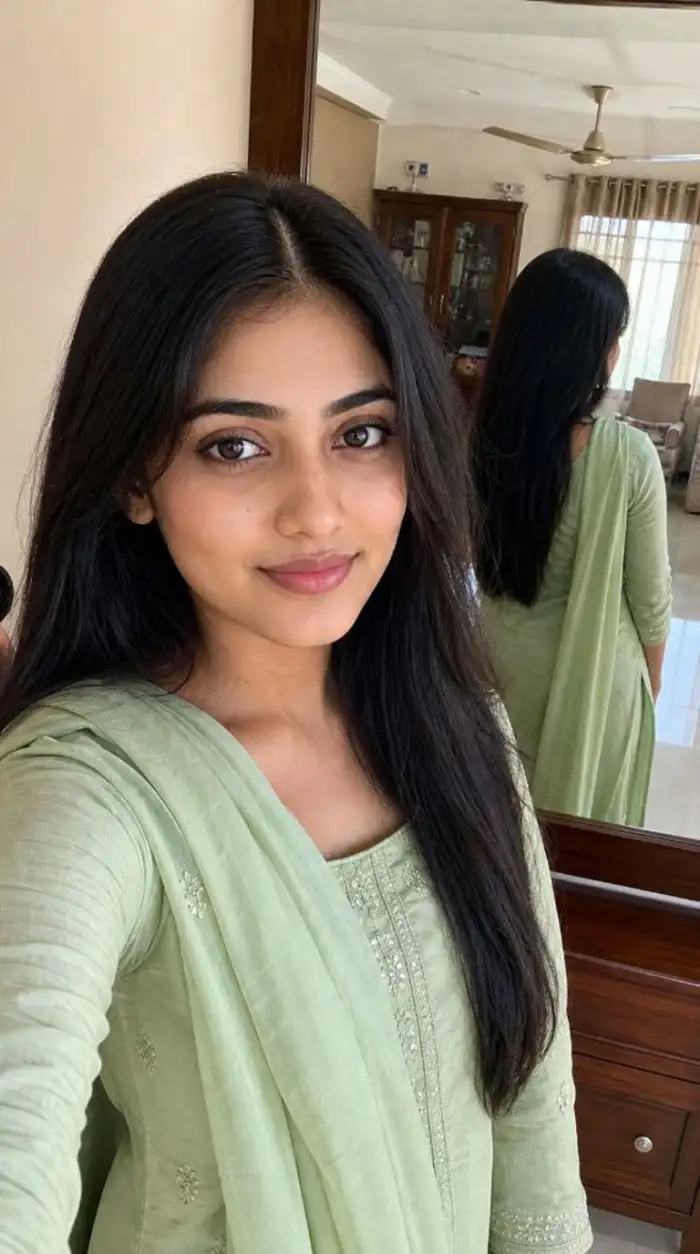 Before
 After
A Beach Look That Feels Like You
With Beatmo's AI beach girl filters, you can give your photo a seaside setting without planning a trip. Soft sunlight, coastal backgrounds, and beachwear details help shape a summer look while keeping your main facial features recognizable.
BeforeAfterA Beach Look That Feels Like You
With Beatmo's AI beach girl filters, you can give your photo a seaside setting without planning a trip. Soft sunlight, coastal backgrounds, and beachwear details help shape a summer look while keeping your main facial features recognizable.
 Before
Find Your Own Summer Mood
From a relaxed day by the water to a sunset beach portrait, Beatmo offers AI beach girl filters for different visual ideas. Pick a look that suits your photo, then let the app add a coastal atmosphere with just a few taps.
BeforeFind Your Own Summer Mood
From a relaxed day by the water to a sunset beach portrait, Beatmo offers AI beach girl filters for different visual ideas. Pick a look that suits your photo, then let the app add a coastal atmosphere with just a few taps.
 Before
Give Everyday Photos a Coastal Touch
Even a simple portrait can take on a new setting with Beatmo's AI beach girl filters. Upload your photo in the app and choose an effect that adds beach scenery and sunlit details, giving your image a fresh direction for sharing.
BeforeGive Everyday Photos a Coastal Touch
Even a simple portrait can take on a new setting with Beatmo's AI beach girl filters. Upload your photo in the app and choose an effect that adds beach scenery and sunlit details, giving your image a fresh direction for sharing.
How to Create AI Beach Girl Looks with Beatmo?
Learn how to create AI beach girl looks with Beatmo in this step by step tutorial. Download the Beatmo app and start trying it out today.

Step 01.
Download the Beatmo app to use AI beach girl filters and create your own summer inspired looks anytime.
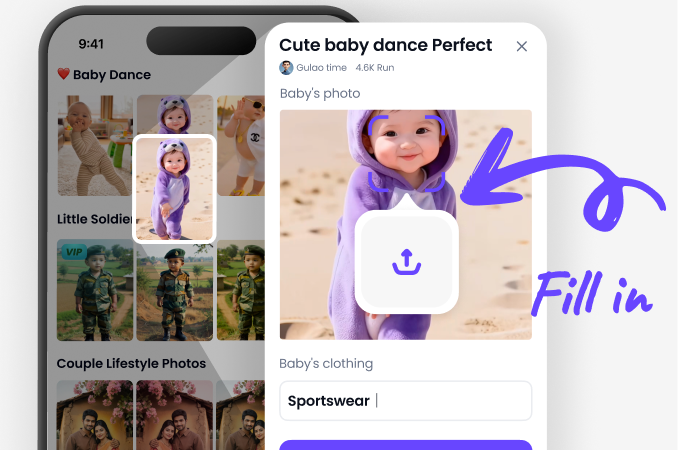
Step 02.
Choose your favorite AI beach girl filter in the app, then upload your photo to apply the effect.
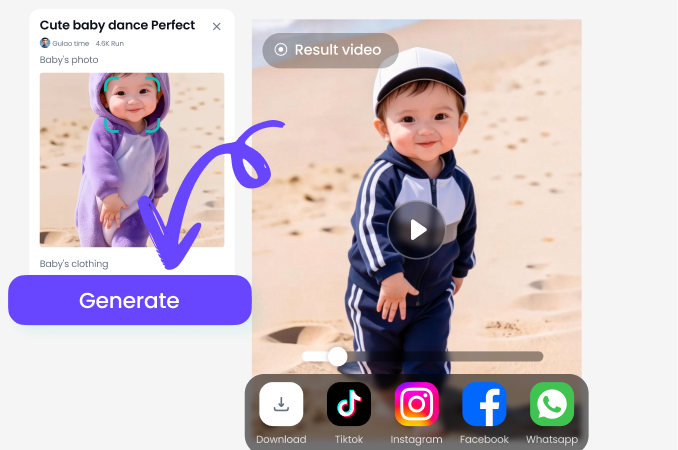
Step 03.
Tap the generate button, and Beatmo will turn your photo into an AI beach girl look.

Your AI Beach Girl Look Starts with Beatmo
Give your photos a seaside feel with Beatmo's AI beach girl filters. Choose your favorite look in the app and add a touch of summer to every shot.
AI Beach Girl Creations Made with Beatmo
See how Beatmo's AI beach girl filters reshape everyday portraits with coastal scenery and natural summer lighting for shareable photos.

Give Your Photos an AI Beach Girl Look
Choose your favorite AI beach girl filter in Beatmo and give your photos a seaside setting. Download the app to start creating summer looks.

Frequently Asked Questions
Find clear answers to common questions and get the guidance you need to make the most of our platform, faster and easier.
More Topics You May Like
Explore more topics you may like and discover fresh ideas tailored to your interests.

Beatmo Male To Female Transformation Porn: Create AI Transformation Videos

Beatmo Naked Anime Sex Filter for Anime Inspired AI Art

Fake Doctor Sex AI Image and Video Generator for Creative Scenes | Beatmo

Beatmo Bokep AI Generated Picture Creator for Custom AI Image Styles

Beatmo Bangla Adult Picture Generator for AI Photo Creation
Beatmo Male To Female Transformation Porn: Create AI Transformation Videos
Beatmo Naked Anime Sex Filter for Anime Inspired AI Art
Fake Doctor Sex AI Image and Video Generator for Creative Scenes | Beatmo
Beatmo Bokep AI Generated Picture Creator for Custom AI Image Styles
Beatmo Bangla Adult Picture Generator for AI Photo Creation
Your Summer Photo Style Awaits in Beatmo
Download the Beatmo app to try AI beach girl filters, add seaside scenery to your photos, and give your portraits a fresh summer look in a few taps.
Your Summer Photo Style Awaits in Beatmo
Download the Beatmo app to try AI beach girl filters, add seaside scenery to your photos, and give your portraits a fresh summer look in a few taps.