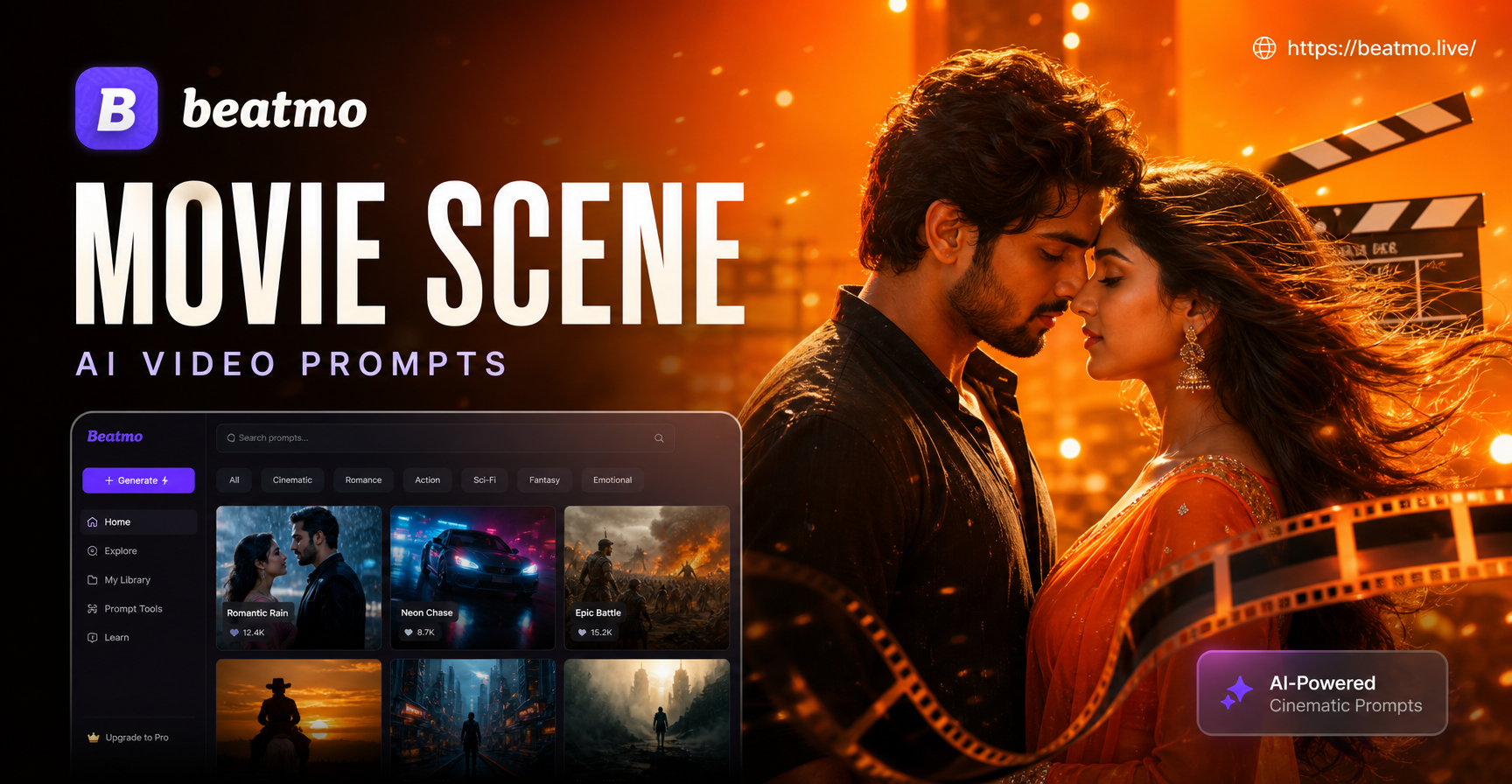
Movie scene AI video prompts are precise text directions that guide an AI video generator through a short cinematic moment. They describe the subject, the environment, the camera position, the lighting, and the action that should be moving in the frame. This article collects 25 ready to use prompts across five major genres, explains why each works, and shows you how to adapt the language for your own story. You can paste these prompts into beatmo, choose a cinematic style template, and generate a video clip on your Android phone.
What Makes a Strong Movie Scene AI Video Prompt?
A weak prompt says a man runs in the rain. A strong prompt adds a location, a camera angle, a light source, a time of day, and a clear motion cue. For AI video, the most useful prompts combine these five layers.
- Subject and wardrobe: a detective in a wool coat, a pilot in a flight suit, a dancer in a red dress
- Setting and atmosphere: a flooded alley, a quiet space station corridor, a wheat field at dusk
- Action and motion: slow walk, sudden turn, falling leaves, flashing signal lights
- Camera direction: wide tracking shot, close up push in, low angle, handheld follow
- Lighting and color: neon rim light, golden hour, cold blue moonlight, high contrast shadows
When you add these layers, the AI has enough information to hold a consistent scene for several seconds instead of drifting into unrelated visuals.
Action and Thriller Movie Scene AI Video Prompts
1. Rooftop Escape at Dusk
Prompt: A young courier in a black jacket sprints across a wet rooftop at dusk, leaping over metal vents, smoke rising from a street below, camera tracking alongside, amber and teal city lights, shallow depth of field, 35mm cinematic look.
Why it works: The prompt names a clear subject, a continuous action, a specific camera movement, and a two color lighting scheme. That reduces the chance of the AI creating random static shots.
2. Rainy Alley Confrontation
Prompt: Two men in soaked coats face each other at the end of a narrow alley, steam rising from pavement, a flickering neon sign above, slow dolly in from behind one shoulder, rain droplets visible in the street light, tense silence, muted blue palette.
Why it works: The slow camera push and restrained action create suspense. The prompt avoids too many chaotic elements, so the AI can keep the core characters stable.
3. Highway Pursuit from Above
Prompt: A black muscle car weaves through night traffic on a wet highway, red tail lights streaking, aerial drone shot following the car, reflections on asphalt, sudden lane change, high speed motion blur, cold gray and red color grade.
Why it works: The aerial camera angle gives a clear establishing shot, while the motion cue keeps energy high without needing complex actor faces.
4. Subway Station Countdown
Prompt: A woman in a tan trench coat stands on a crowded subway platform, checking a silver pocket watch, train lights approaching in the tunnel, dust stirring around her, close up on her eyes then a quick pan to the arriving train, warm tungsten light against cold shadows.
Why it works: Combining a close up with a quick pan creates an editorial rhythm. The pocket watch gives the AI a consistent object to keep in frame.
5. Desert Convoy Ambush
Prompt: Armored vehicles speed across a flat desert road, a distant explosion throws sand into the air, soldiers signal from a lead truck, handheld camera shake, telephoto lens compression, harsh sunlight, heat haze, olive and sand colors.
Why it works: The telephoto compression and heat haze keep the scene visually dense, while the explosion provides a clear motion spike for the video generator.
Emotional Drama and Romance Movie Scene AI Video Prompts
6. Rainy Pier Farewell
Prompt: A couple stands at the end of a wooden pier under a soft rain, the woman turns back once, holding her coat closed, the man watches without moving, slow push in from behind the man, overcast sky, muted blues and gray greens, gentle waves.
Why it works: The restrained action, one turn, focuses the AI on facial expression and atmosphere rather than large movement, producing a more believable emotional beat.
7. Hospital Window Reunion
Prompt: An older man sits beside a hospital bed, morning light through blinds, dust floating in the light, a patient slowly opens her hand, close up on the hands, shallow depth of field, warm white and pale blue colors, slow zoom out.
Why it works: The close up on hands avoids facial distortion and gives the AI a small, readable gesture. The slow zoom adds breathing room.
8. Autumn Park Confession
Prompt: Two teenagers sit on a bench beneath red maple trees, leaves falling in slow motion, one passes a folded letter, the other looks down before reaching for it, camera circles slowly around the bench, late afternoon sun flares through branches.
Why it works: The slow orbit around the bench creates a gentle visual movement while the letter gives the characters a clear objective.
9. Empty Dance Hall Memory
Prompt: A man in a formal suit walks through an empty ballroom, chandeliers dim, dust sheets over chairs, his hand brushes a white curtain, light from tall windows, tracking shot from the side, silver and gold tones, slow motion.
Why it works: The side tracking shot and slow motion give the scene a dreamlike quality. The white curtain is a simple object that helps the AI maintain continuity.
10. Kitchen Argument at Midnight
Prompt: A couple argues in a dark kitchen, one leaning against the counter, the other turning away sharply, refrigerator light spilling onto the floor, steam rising from a kettle, static low angle shot, tense shadows, cool blue and warm amber contrast.
Why it works: The static low angle makes the scene feel observational. The refrigerator light gives a strong light source that persists through the clip.
Sci-Fi and Fantasy Movie Scene AI Video Prompts
11. Derelict Space Station Corridor
Prompt: An astronaut in a worn suit floats through a dark space station corridor, emergency lights blinking red, debris drifting past, camera follows slowly from the front, cold blue light through a cracked window, particles floating in zero gravity.
Why it works: The blinking red light and floating debris provide repeating motion cues, while the front follow shot keeps the astronaut centered.
12. Alien Jungle Discovery
Prompt: A research team steps into a glowing alien jungle, giant blue plants sway without wind, spores drift upward, a tall figure moves behind the trees, slow panoramic shot, purple and green color palette, cinematic fog.
Why it works: The slow panoramic move establishes the environment first, and the background figure adds mystery without requiring detailed facial animation.
13. Medieval Dragon Flyover
Prompt: A dark dragon flies over a medieval village at dawn, torches flicker on stone towers, peasants run through narrow streets, wide low angle shot from the ground, snow falling, embers in the wind, cold blue shadows with orange firelight.
Why it works: The low angle gives scale, and the falling snow plus embers create continuous motion that helps the AI render a living scene.
14. Neon Cyberpunk Market
Prompt: A woman with silver hair walks through a dense cyberpunk market, holographic signs flicker above her, steam rises from food stalls, rain slick pavement reflects neon, camera tracks backward in front of her, purple and cyan lighting, crowded background.
Why it works: The backward tracking shot and reflective pavement make the scene feel dynamic. The defined color palette holds the genre together.
15. Frozen Forest Portal
Prompt: A girl in a white cloak approaches a glowing circular portal in a frozen forest, ice crystals falling from branches, blue mist swirls around her boots, camera slowly pushes toward the portal from behind her, pale blue and silver tones.
Why it works: The slow push from behind creates anticipation, while the glowing portal gives the AI a strong focal point for the entire clip.
Horror and Suspense Movie Scene AI Video Prompts
16. Flickering Hallway Figure
Prompt: A long hotel hallway at night, a single fluorescent light flickers, a dark figure stands motionless at the far end, camera remains still at eye level, dust in the light, a door slowly closes on its own, cold green and black tones.
Why it works: The still camera and slow door movement make the scene more unsettling than a fast action shot. The flicker gives the AI a rhythmic light change.
17. Forest Cabin Breathing
Prompt: A wet cabin door shakes slightly from the inside, a lantern swings on a hook, fog moves between black tree trunks, handheld camera creeps toward the door, branches snap in the distance, desaturated green and brown palette.
Why it works: The handheld creep and swinging lantern add natural motion. The prompt leaves the threat unseen, which is easier for AI to render than a monster.
18. Basement Candle Search
Prompt: A man holds a candle as he walks down stone basement steps, his shadow stretches behind him, water drips from a pipe, a child's drawing hangs on the wall, camera follows over his shoulder, dim amber light and deep black shadows.
Why it works: The over the shoulder follow focuses the scene on what the character sees, and the candle provides a moving light source that drives the mood.
19. Static Corridor Whisper
Prompt: A woman walks through an abandoned hospital corridor, a wheelchair rolls slowly on its own past an open doorway, lights buzz and dim, camera pans away then returns to find the wheelchair stopped, blue gray tones, heavy grain.
Why it works: The pan away and return gives the AI a clear editing beat. The wheelchair is a simple object that can move without facial animation.
20. Mirror Reflection Delay
Prompt: A man washes his face in a dim bathroom, he looks up at the mirror, his reflection blinks one second late, the faucet water keeps running, close up on the mirror, cold white light, slow zoom into the glass.
Why it works: The delayed reflection is a strong visual twist. The constant running water gives the AI ongoing motion while the face stays mostly still.
Period, Noir, and Experimental Movie Scene AI Video Prompts
21. 1940s Train Platform Noir
Prompt: A detective in a long coat steps off a steam train at night, porters push luggage through smoke, a woman in a red hat watches from a bench, high contrast black and white, low angle tracking shot, cigarette smoke curling upward.
Why it works: The black and white instruction removes color noise, and the smoke provides a consistent moving element. The low angle reinforces the noir mood.
22. Victorian Library Monologue
Prompt: A young woman in a velvet dress reads aloud from an old book in a vast Victorian library, candles flicker on a long table, pages turn slowly, camera slowly arcs around her, warm golden light, dust motes floating.
Why it works: The slow arc and flickering candles give the scene grandeur. The turning pages are a small, steady motion that keeps the video from freezing.
23. Silent Film Era Chase
Prompt: A man in suspenders and a flat cap runs through a cobblestone street, a street vendor cart tips over behind him, pigeons scatter, black and white with slight sepia tint, slight film speed up, wide shot from the side.
Why it works: The slight speed up and sepia tint signal early cinema style. The tipped cart and pigeons add energetic motion without needing dialogue.
24. Old West Saloon Standoff
Prompt: A gunslinger pushes through saloon doors, dust swirling in sunlight, patrons freeze, a ceiling fan spins slowly, camera at hip level facing the door, deep shadows and warm amber highlights, slow motion.
Why it works: The freezing patrons isolate the gunslinger's movement, and the ceiling fan gives continuous background motion that supports slow motion.
25. Experimental Studio Void
Prompt: A dancer in a white suit walks through a black void, a single soft spotlight follows him, white sand rises under each step, red silk fabric floats upward, camera orbits slowly, extreme black and white contrast.
Why it works: The void removes all background clutter, so the AI can focus entirely on the dancer and the floating fabric. The fabric gives a strong visual anchor.
How to Adapt These Movie Scene AI Video Prompts
Start by changing the subject and wardrobe. Replace a young courier with a retired soldier or a fashion model. Then adjust the setting to fit your location. Keep the camera movement and lighting the same until you know the scene works.
You can also change the color palette. For example, turn a neon cyberpunk market into a 1970s film look by changing purple and cyan to faded orange and brown, and replacing holographic signs with hand painted market signs. Small deliberate changes are better than adding many new objects at once.
If you want a longer clip, generate several short scenes that share the same subject, wardrobe, and lighting. Use the final frame of one clip as the opening reference for the next scene inside beatmo. This creates a sequence while keeping the AI stable.
Common Weak Results and How to Fix Them
When an AI video prompt produces an unusable clip, the problem is usually one of these three issues.
- Face distortion during motion: Replace a close up on a face with a close up on hands, a back view, or a wide shot. If you need a face close up, add static camera, slight head turn only to limit movement.
- Scene drift after a few seconds: Remove competing background actions and keep one strong motion cue. Instead of people run, signs flash, smoke rises, rain falls, choose only rain falls and a figure walks slowly.
- Inconsistent lighting: Name a single light source and a two color palette. Cold blue moonlight through a window with a warm desk lamp is more stable than cinematic lighting.
Using These Prompts in Beatmo
Beatmo is an Android app that combines text to image, image to video, and text to video tools. For these prompts, open the text to video feature, paste one prompt, pick a cinematic style template such as film noir, cyberpunk, or anime, and tap generate. You can then shorten the clip, change the style, or use the image to video tool with a movie still as the starting frame.
Because beatmo includes a large library of style filters, you can keep the same prompt and switch visuals from 1940s black and white to neon cyberpunk without rewriting the entire scene. That makes it easier to test which version fits your story.
Try One Prompt Before You Write a Script
These movie scene AI video prompts are designed to be starting points. Pick one prompt, generate a clip, then change the subject and color palette to match your own scene. The more specific the action and lighting, the more cinematic the result. Download beatmo from Google Play and test a single prompt in the text to video tool today.